Solution
Schedules, time clock and permissions next to the register
Build the week’s shifts, publish them, see who is on the clock, and give each person the access their role needs, in the same system your team sells from.
app.retaileros.ai/schedule
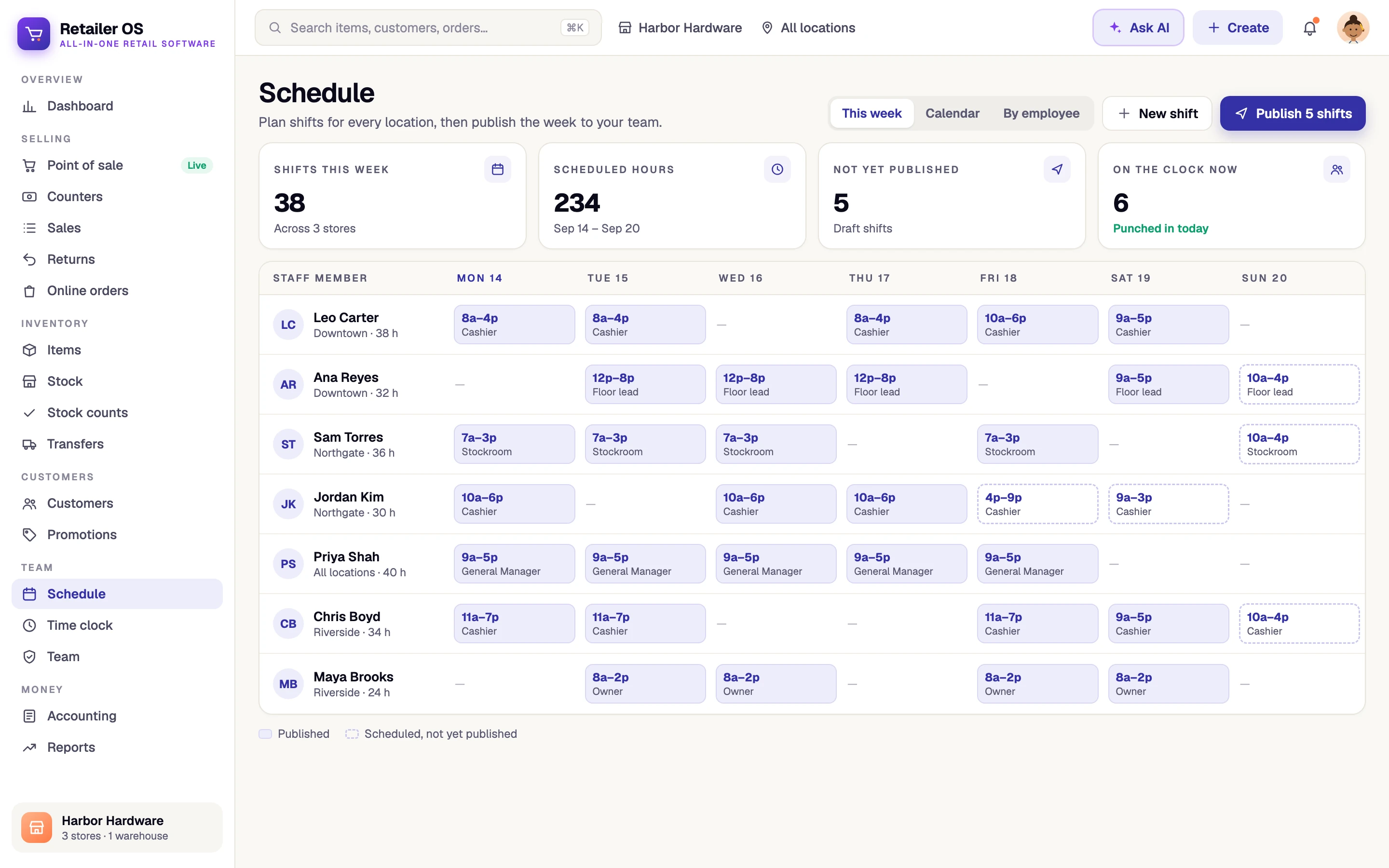
Retail workforce operations, defined
Retail workforce operations is how a store staffs its shifts, tracks time and controls what each person can do. In Retailer OS you schedule and publish shifts by staff member and location, staff punch in and out on the time clock, roles and custom roles set permissions and location access, and the cashier performance report shows how each person sells.
The problem
What gets in the way today
- The schedule lives in a spreadsheet and a group chat
- Hours are tracked on paper or in a separate app
- Every cashier has the same access as the manager
- New hires get set up differently at every store
- There is no clear view of how each cashier is selling
Capabilities
Retail workforce operations in Retailer OS
Shift scheduling
Create shifts for each staff member and location, publish the week, and mark shifts completed, cancelled or no-show.
Time clock
Staff punch in and out, and managers can see who is on the clock.
Roles and location access
Built-in roles, presets like Shift Lead, Stockroom and Accountant, or custom roles, each limited to the locations a person works.
Cashier performance and audit log
See how each cashier is selling, and review who changed what in the audit log.
How it works
Step by step in Retailer OS
- 01
Invite your team
Add each person with a role and the locations they work.
- 02
Build the schedule
Create shifts by staff member and location for the week ahead.
- 03
Publish the week
Publish shifts once the schedule is set.
- 04
Track and review
Staff punch in and out on the time clock, and you review cashier performance in reports.
Outcomes by role
Who it helps, and how
Store managers
The schedule, the time clock and the register in one place.
Owners
Access that matches each role, with two-factor sign-in and an audit log.
Cashiers
A clear role, the right permissions, and a simple punch in and out.
Related
Explore more of the platform
FAQ
Common questions
Last updated September 14, 2026
Run every store from one system.
Point of sale, inventory, and your team in one place. Start a 14-day free trial with no card required, or book a walkthrough with our team.