Solution
The routines that run a store, in one app
Opening the drawer, receiving deliveries, counting stock, moving inventory and publishing the week’s shifts happen in the same system that rings the sales.
app.retaileros.ai/inventory/counts
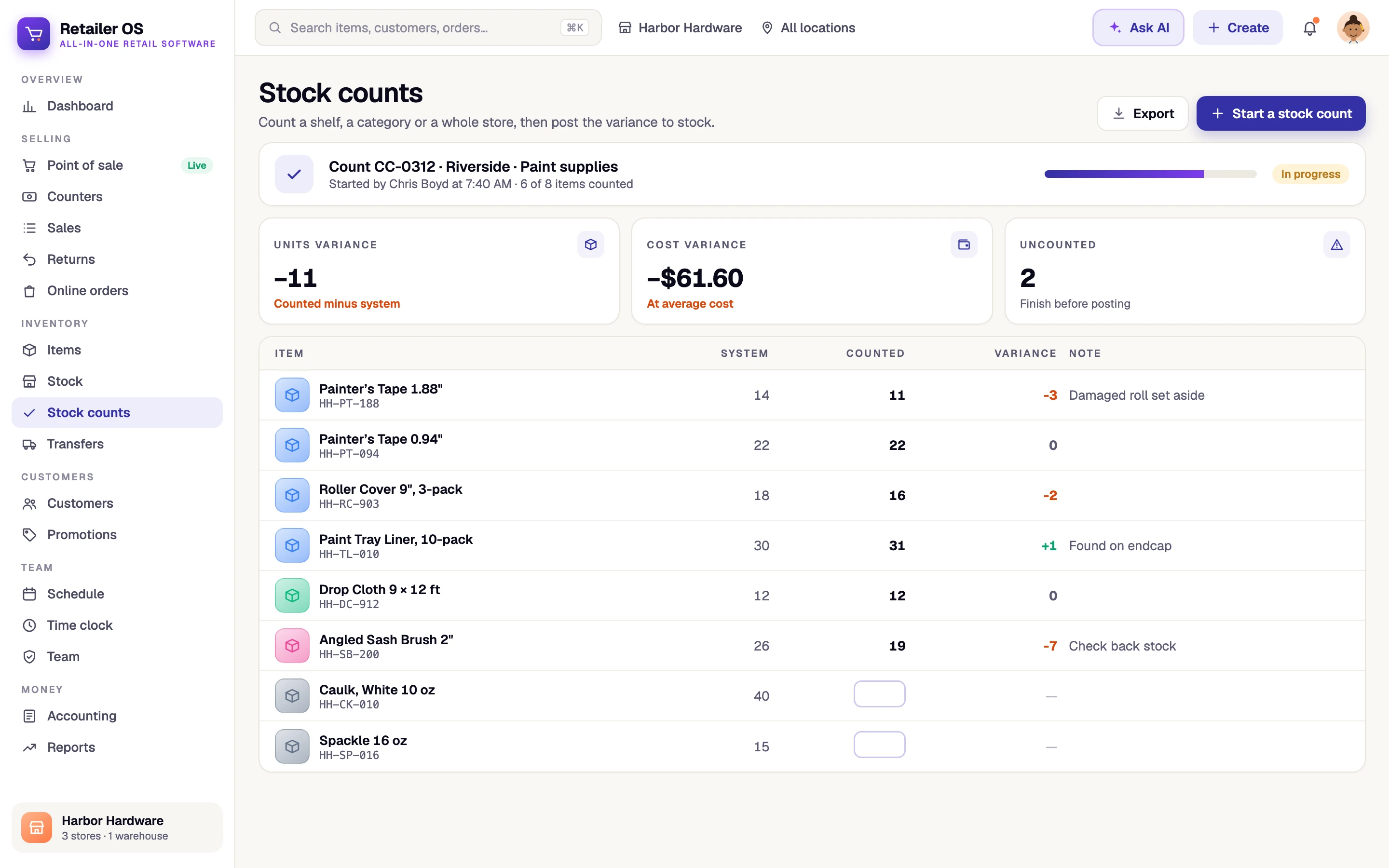
Daily store routines, defined
Daily store routines are the recurring jobs that keep a store’s cash, stock and staffing accurate: opening and closing the register, receiving purchase orders, counting stock, transferring inventory, reordering and scheduling shifts. Retailer OS runs each of these in the product itself, so finishing one updates the drawer, the inventory ledger or the schedule directly.
The problem
What gets in the way today
- Drawer counts are written on paper and differences go unexplained
- Deliveries are checked against a printed PO and keyed in later
- Stock counts are done on clipboards and never reach the system
- Nobody notices an item is low until it is gone
- The week’s schedule is a photo in a group chat
Capabilities
Daily store routines in Retailer OS
Open and close the drawer
Start with an opening float. At close, see what the drawer should hold, enter counted cash, and record the difference with a note.
Receive purchase orders
Receive against the PO so quantities and costs land in the inventory ledger.
Stock counts and transfers
Count by location with system, counted and variance side by side, and move stock between locations with tracked transfers.
Schedule and time clock
Build shifts by staff member and location, publish the week, and let staff punch in and out.
How it works
Step by step in Retailer OS
- 01
Open the register
Enter the opening float and start selling.
- 02
Receive and move stock
Receive purchase orders against what you ordered, and send or receive transfers between locations.
- 03
Count and reorder
Run a stock count and review the variance, then work through reorder alerts for items below their reorder point.
- 04
Close and plan
Count the drawer, note any difference, and publish next week’s schedule.
Outcomes by role
Who it helps, and how
Store managers
Opening, receiving, counts and scheduling in the same app as the register.
Cashiers
A clear open and close, with counted cash recorded against what the drawer should hold.
Inventory leads
Counts, receipts and transfers that update stock as they are done.
Related
Explore more of the platform
FAQ
Common questions
Last updated September 14, 2026
Run every store from one system.
Point of sale, inventory, and your team in one place. Start a 14-day free trial with no card required, or book a walkthrough with our team.